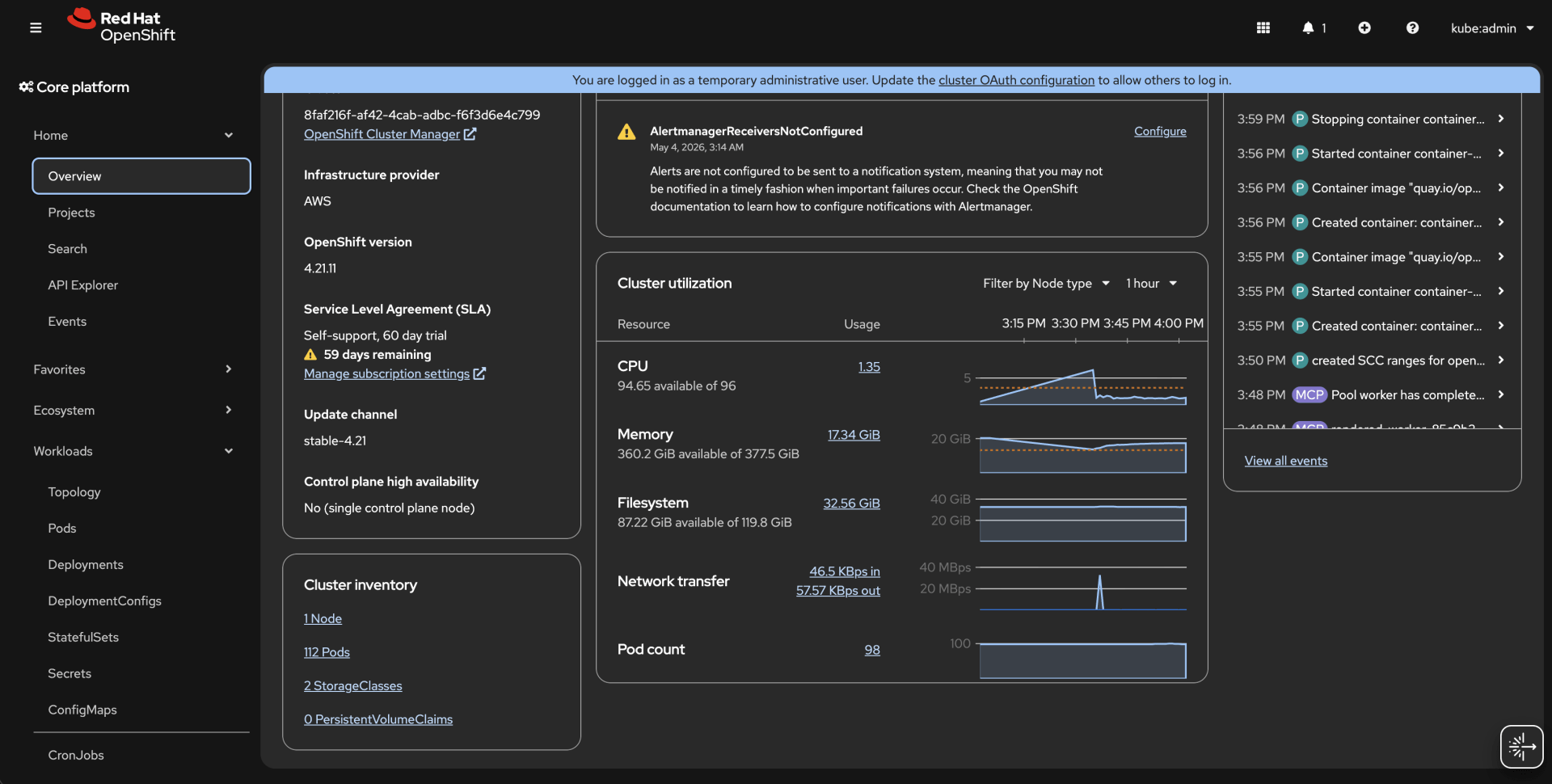
Setup Notes
- Single Node OpenShift Installer Provisioned Infrastructure
- Route 53 Public Hosted Zone will need to be defined
- DNS NS servers for my subdomain pointed to Route 53’s 4 x nameserver. (e.g., clustered.kubernetes.day)
- Took 57 minutes to complete.
- 1 x g4dn.metal

ROSA HCP Tuning-Config
Earlier I also setup ROSA classic and HCP. I’ll use this section below to gather some of my notes which could be useful in the future.
ROSA HCP is wonderful. In ROSA HCP, the Hosted Control Plane (HCP) is the “Source of Truth.” When you use oc edit, you are modifying a resource that is being managed by a controller in the Red Hat managed account. The controller sees that your local change doesn’t match the configuration defined in the ROSA API (the TuningConfig) and immediately overwrites it.
- MachineSet is irrelevant.
- TuneD configurations are configured on ROSA cli
rosa list tuning-configs --cluster jg-hcpSince there isn’t a direct rosa edit tuning-config command for the internal JSON, you have to overwrite the existing one or create a new one with the correct priority.
# Delete the old tuning config
rosa delete tuning-config --cluster jg-hcp iommu-tuning

# Create the new one with the 'include' and 'priority' built into the spec
rosa create tuning-config --cluster jg-hcp --name iommu-tuning-v2 --spec-path tuning.json
################
# tuning.json
################
{
"profile": [
{
"name": "gpu-passthrough-metal",
"data": "[main]\nsummary=Override for GPU Passthrough\ninclude=openshift-control-plane\n\n[bootloader]\ncmdline_add=intel_iommu=on iommu=pt"
}
],
"recommend": [
{
"profile": "gpu-passthrough-metal",
"priority": 10,
"match": [
{
"label": "virtualization-host",
"value": "true"
}
]
}
]
}Link the new config to your MachinePool
rosa edit machinepool --cluster jg-hcp gpu-pool --tuning-configs iommu-tuning-v2DANGER! This tells Cluster Version Operator to stop managing the Node Tuning Operator
If you just want to see if this works right now, you can temporarily pause the TuneD operator’s management. (Note: Only do this for debugging!)
oc patch clusterversion version --type merge -p '{"spec":{"overrides":[{"group":"apps/v1","kind":"Deployment","name":"cluster-node-tuning-operator","namespace":"openshift-cluster-node-tuning-operator","unmanaged":true}]}}'After running this, your oc edit tuned commands will persist, but ROSA will no longer be able to manage tuning for you until you remove the override.
Tip! If you want a quick birds-eye view of all nodes and their current pod capacity, you can use this custom column command:
oc get nodes -o custom-columns=NAME:.metadata.name,CPU:.status.capacity.cpu,MAX-PODS:.status.allocatable.podsDefine Max Pod Limit Per Node
OpenShift default max pod limit per node is 250 as of writing today. Reference to the documentation for 4.21.
apiVersion: machineconfiguration.openshift.io/v1
kind: KubeletConfig
metadata:
  name: set-max-pods
spec:
  machineConfigPoolSelector:
    matchLabels:
      # Define matching node-roles
      # If its SNO, set it as master
      pools.operator.machineconfiguration.openshift.io/worker: ""
      pools.operator.machineconfiguration.openshift.io/master: ""
  kubeletConfig:
    maxPods: 500
* I have already hit 112 pods with Single Node OpenShift.